

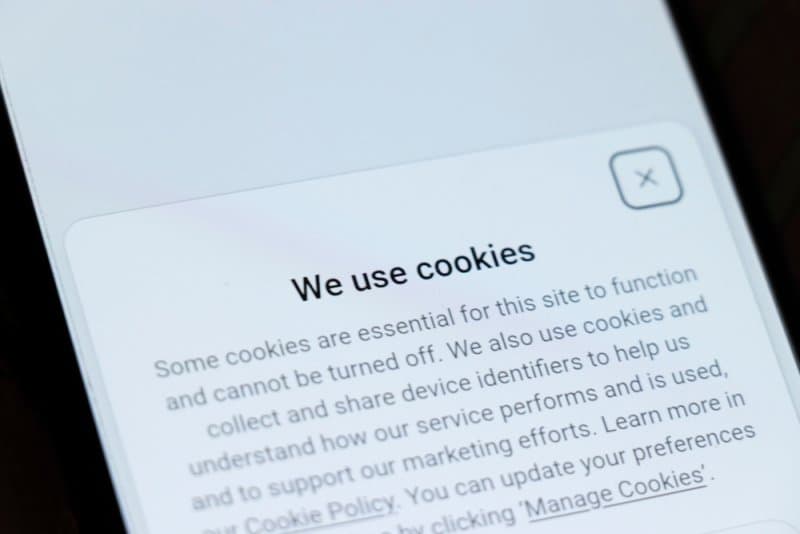
You add a pair of sneakers to your cart, get distracted by a phone call, and come back an hour later. The sneakers are still there. Website cookies made that happen. They’re handy, a little nosy, and almost everywhere. So what exactly are they doing on your device? Let’s sort it out.
A cookie is a tiny text file. When you visit a site, it tucks one onto your device, usually with a few harmless details like your login status, your language, or what’s in your basket. Next time you drop by, your browser hands it back. That’s pretty much the whole idea.
The simplest way to sort cookies is by who put them there. First party cookies come from the site you’re actually on. Third party cookies come from somebody else, like an ad company. Here’s how they stack up side by side.
| Feature | First Party Cookies | Third Party Cookies |
| Source | The site you visit | An outside domain |
| Typical job | Logins and carts | Ads and analytics |
| Privacy risk | Usually low | Often higher |
| Browser stance | Rarely blocked | Commonly blocked |
It’s basically a quick back-and-forth between your browser and a server. Nothing fancy. But it happens every time you load a page, which is why familiar sites feel so fast. Here’s the process in three steps, and no tech background is needed.
You type an address or tap a link. Your browser asks the server for that page. If you’ve been there before, it also sends along the cookie it saved, which works like a quiet little hello before anything else even loads.
The server reads whatever cookie arrives, then sends back the page. If you’re new, it adds a fresh cookie with a random ID. That small ID is how the site recognises your device later and recalls what you picked last time.
The cookie stays put until it expires or you delete it. Session cookies are gone the moment you close the browser. Persistent cookies keep going, so your login or theme might still be waiting there next week, or even next year.
Cookies also differ by what they do. Some are essential, because the site simply breaks without them. Others are optional extras. Once you know the groups, cookie banners stop feeling like a pop-up puzzle, and your choices get so much easier.
Session cookies cover a single visit, like the items in your cart while you browse. Close the browser, and they’re history. Persistent cookies stick around, saving things like your language or a remembered login, so you don’t have to set everything up again.
Authentication cookies prove it’s you after you log in, which is why you don’t type your password on every page. User-input cookies hold whatever you typed or picked, like half-finished form answers. Both are usually essential, so most sites set them without asking.
Tracking cookies log what you view, search, and click, mostly so advertisers can guess what you’ll want next. Website tracking cookies can follow you from site to site, which is why that boot you looked at once keeps showing up. They’re optional, so you should get a say.
Cookie Regulations vary by region, yet they all push for the same thing: honesty about what a site collects. Europe has the GDPR, and California has the CCPA. Site owners have to follow whichever law covers their visitors, wherever the business itself happens to sit.
Under the GDPR, non-essential cookies wait until a visitor says yes. Scrolling or ignoring a banner doesn’t count. Analytics, advertising, and social media cookies all fall here, so they stay switched off until someone gives a clear, deliberate go-ahead, not a shrug.
Sites need to explain which cookies they use and why, in plain language. A good banner lets you accept or reject by category. Changing your mind later should be just as easy as the first click, not buried three menus deep.
You don’t have to accept everything. Every major browser lets you manage browser cookies from its privacy settings, and it takes a few minutes. A handful of small habits can cut down tracking without wrecking the sites you actually like using.
Open your privacy settings and pick the option that blocks third-party cookies. This stops most cross-site tracking. A few embedded things, like chat widgets or video players, may act up, but you can allow exceptions for sites you really trust.
Clearing cookies wipes out old data and resets your trail. Once a month is plenty for most people. Just know you’ll have to log back in on some sites, because deleting authentication cookies signs you out and can erase saved preferences too.
Hitting Accept out of habit is easy. Try looking for a settings or preferences button first, then switch off the analytics and advertising boxes you don’t need. Leaving essential cookies on is fine, since those keep your logins and carts working.
Website cookies aren’t good or bad by default. They make the web easier, but only when sites handle them honestly. Once you can tell session cookies from tracking ones, those banners get a lot less annoying. Check your settings now and then, and keep things transparent, site owners.
Website cookies remember logins, cart items, language choices, and browsing activity. They make sites quicker and more personal, help owners measure traffic, and sometimes power advertising, depending on which kind of cookie is involved.
Not by themselves. Cookies are plain text and can’t run code. Still, tracking cookies gather browsing details, and weakly secured ones can be abused, so manage your consent choices and keep your browser updated.
It depends on the cookie. Session cookies vanish when you close the browser, while persistent cookies can last anywhere from a few days to about two years, unless you delete them sooner.
Not always. Essential cookies are fine because sites need them to run. For analytics and ads, accept only what you’re comfortable with, especially on unfamiliar websites that never explain how they use your data.
This content was created by AI