

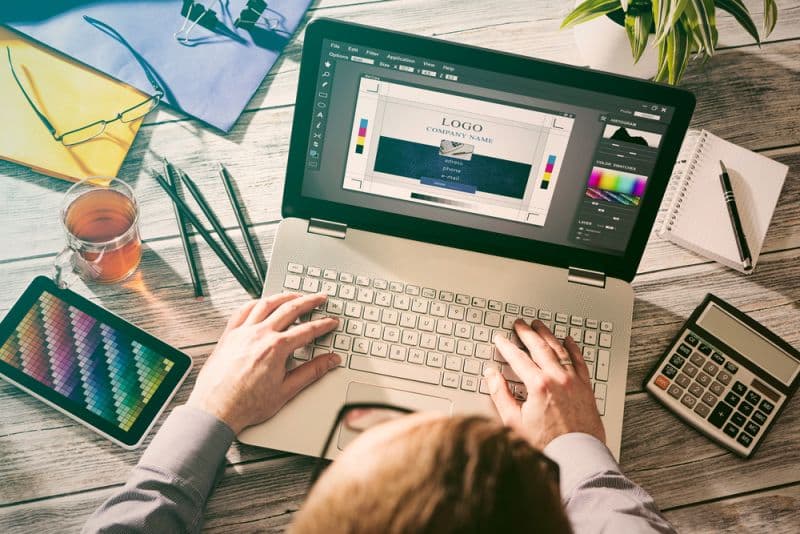
If you need to create social media posts, presentations, marketing materials, and more with graphics, excellent design software makes things a lot easier.
Canva vs Adobe Express is what most people want to know when looking for an easy yet robust design tool. Let's explore: which is easier to use, Canva or Adobe Express?
Canva and Adobe Express are online graphic design tools that enable you to create your designs like a graphic designer—even if you're not a graphic designer.
They have pre-made templates, stock photos and illustrations, and drag-and-drop editors for social graphics, posters, presentations, videos, and others.
Canva also offers an extensive library of design templates, elements, fonts, and layout choices that you can customize in a flash. It's perfect when you want a lot of visual materials, but you don't want to spend ages modifying every design aspect.
Adobe Express is somewhat more editing-centric, with photo effects, background removers, video editing, Adobe Stock, and the like. As well as deep Adobe apps integration. This is another case of looking at the feature parity of apps in the template arsenal of Canva versus the editing and design capabilities of Adobe Express in the ultimate Canva vs Adobe Express comparison.
Both sites provide tools for image design and editing, but the features are slightly different.
Compared to the feature set, Canva vs Adobe Express is fairly similar, with the former being the far more well-rounded all-in-one design platform. Adobe Express provides a handful of valuable creative features, however, available in both photos and videos. Which one is better for you will come down to what you need.
The software is clean and simple to navigate, and the templates are better for beginning designers. Select a template, change the text, upload images, modify the colors, and download your creation. There's no need to know a lot of editing techniques.
Furthermore, Adobe Express is more straightforward to use too; however, at times the Adobe tools and editing platform can be a little intimidating. For those who are new to Canva vs. Adobe Express, Canva may be more suitable for a beginner. However, we suggest Adobe Express if you're looking to sharpen your editing skills.
There's also a bit of a Canva vs Adobe Express pricing debate to bear in mind when weighing up the two. The basic design features can be accessed free of charge, so you can try them out before you commit to the paid monthly or annual subscriptions.
Canva Pro is $144/year, and Adobe Express Premium is $9.99/month, so Adobe Express is more affordable for someone on a monthly plan. Canva Pro can be purchased annually and includes access to premium content and other features. Prices are subject to change, and billing options may be different at checkout, so always check the pricing pages before subscribing.
On a monthly basis, Adobe Express comes in cheaper. In general, it's an either-or proposition—whether Canva or Adobe Express will be more expensive for you—depending on the advanced tools, AI features, storage, and templates that you need.
Perfect tools for creating images for social media sites like Instagram and Facebook, videos on YouTube, thumbnails, and other small videos are all easily created with Canva. How many different templates are available? I just need to resize them.
Make your content look nice—or more creative editing options. When comparing Adobe Express versus Canva for business use, Canva is easier to use for your typical marketing graphics, while an alternative option to use if you're an Adobe subscriber.
Canva and Adobe Express may be the most well-known design tools, but there are many others. The best design tools cater to specific design features for different types of creative work.
Test out their free plan, export tools, templates, and collaboration features before you switch.
While entirely different, this Canva vs Adobe Express comparison at least suggests they both might have a future as apps for simple local work that is not part of an ongoing project. Go with Canva if you are a newbie; learn from templates, are collaborating, and are creating a lot of content.
Go with Adobe Express if you need more sophisticated image editing tools, Firefly AI, and Adobe Stock images.
Nearly all of the above tools will require you to sign up for a free account so you can enjoy their design editor tool and save your projects. Sign up using email or social sign-in options and start with the free plans.
Yes, there are mobile versions of the Canva and Vectr editing platforms. With the mobile platforms, users can edit and design on the go.
Yes, you can. Both online graphic design platforms enable you to download a design without watermarks as long as the design contains eligible free assets or licensed premium content.
Yes, if your design is in a supported format, you can export it as a PDF, PNG, or JPG file for printing. Make sure to select the correct document size, resolution, color, and bleed before downloading your print file.
Yes, both give you presentation templates, editing options, the ability to make your slides, add images, and present. They just have different presentation functionality and design flexibility, so you decide which to use.
This content was created by AI